Renegade Games
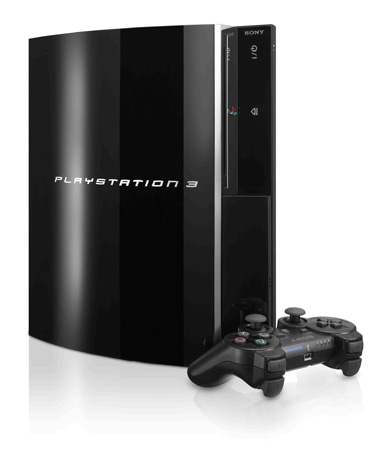
PlayStation 3 System errors
The best place to go if you are having ps3 system errors is
then highlight the ps3 link and click support.
You will have to your model number to help you fix your problem.
What can I do if I receive an eight digit 800 series error code on the PlayStation®3 computer entertainment system?
Sony playstation have found out that some users are experiencing a network connection
failure when signing on to PlayStation Network and may receive the
error code 8001050F. They are currently looking into the issue to
identify the cause of this network connection failure and will update
further information as necessary (on there Blog or official website). They
appreciate your understanding and continued support. They are
currently experiencing a temporary issue with the PlayStation Network.
Sorry we cant provide you more information on this problem.
What do the colors of the power and disc lights on the PlayStation®3 computer entertainment system mean?
Try using another power cord if available.
Make sure the power sswich is on the back of the PS3 system is turned on (In the I position.)
If you continue to have issues the PS3 system will need to be sent in for service. Learn How
Solid Red
If the PS3 system will not turn on this is an issue with the PS3 system will need to be sent in for service. Learn How
Solid Green
If the power status light is solid green and you are experencing issues. Please cnotact www.us.playstation.com for help with your problem.
Flashing Red Light
Means your PS3 system may be overheated. This can be caused by poor ventilation or vents may be blocked.
Check if the vents are blocked. If the vents are dusty Playstation recomends that you should vacuum out the vents. We recomend that you use a dry cloth and try to wipe out as much of the dust as you can.
If PS3 system is in an enclosed area move it to an open area.
Leave the system off for 30 minuetes to let it cool down.
If you continue to have issues you will have to send your system in for service. Learn How
Flashing Green
If the green light continues to flash green the PS3 system may be trying to complete writing to the hard drive or shutting down or running programs. It may take longer to shut down depending on when you pressed the power button. If the green power light flashes for a very long time, turn the PS3 system off by flipping the main power switch on the back off. Then try to restart the PS3 system.
Flashing Green, Yellow Then Red
When the power light flashes in this order, you must send your PS3 system in for service. Learn How
Disk Light Flashing Blue with no Eject
If the light constantly flashes blue and the disk will not eject it may be an issue with the disk being stuck in the system. If this happens, there is no way to remove this disk yourself. You must send the system in for service. Learn How
Sorry we cant prvide you more information.
